
On this page
A SaaS competitive pricing strategy sets your plans and prices with rivals' public pricing in view, so your offer wins when buyers compare you side by side. You build one in two parts. First, benchmark the pricing pages buyers already compare you with. Then decide where you sit on price, and shape your plans so the comparison favours you.
This guide covers what the strategy is, why buyers compare prices alone, six steps to benchmark rival pricing pages, how to position your plans and the mistakes to avoid.
I lead field marketing and events at Fourward, and my work covers budgets and vendors. Every price below comes from each vendor's own pricing page, read on 18 November 2026. Prices change often, so check the live page before you repeat one.
- A SaaS competitive pricing strategy is a plan for where your prices sit against the tools buyers compare you with: below them, level with them or above them.
- In a 2022 TrustRadius survey, 81% of buyers wanted to find pricing information on their own. Your pricing page is often where the comparison happens.
- Compare what a typical customer would pay, not the headline price. Seat minimums and billing terms can make the cheaper-looking plan cost more.
- You can win a comparison with packaging as well as price: the unit you charge for, the plan you recommend and how clearly you show the total.
- Competitor prices change, so recheck them every quarter and save a dated copy each time.
What a SaaS competitive pricing strategy is
Competitive pricing means setting your prices by looking at what rival products charge, not only at your costs or at what customers say they would pay. In SaaS (software sold as a subscription), it also covers packaging: which features sit in which plan, and what unit you charge for.
Most teams choose one of three positions for each group of customers.
| Position | What it means | When it fits | The risk |
|---|---|---|---|
| Price below | Your plans cost less than the plans buyers compare you with | Your product is newer or simpler, and buyers in your category choose mainly on price | Rivals can cut their prices too, and cheap plans can attract customers who leave quickly |
| Price level | Your prices sit close to the rivals' prices, and you win on fit or features | Buyers see the category as standard and compare features line by line | Price gives buyers no reason to pick you, so your features and proof have to |
| Price above | You charge more and show clearly what the extra money buys | You serve larger customers, or you do a job the rivals do not | Buyers drop you from the shortlist if the extra value is not obvious on the page |
You can hold different positions for different groups. For example, you might sit below rivals for small teams and above them for large teams that need admin and security controls.
Why buyers compare your pricing page before they talk to you
Business software buyers do much of their research alone, and price is one of the facts they most want to find without help.
- Buyers want to self-serve. TrustRadius, a software review site, reported in 2022 that "virtually 100% of buyers want to self-serve all or part of their buying journey".
- Buyers want the price without a sales call. The same TrustRadius report found that 81% of buyers "want to find pricing information on their own".
- AI answers repeat what public pages say. A buyer can ask ChatGPT to compare two tools' prices. If your price is not on a public page, the answer cannot quote it from your site.
The first comparison can therefore happen before your sales team hears about the deal. A buyer might open your pricing page and two competitors' pages side by side. The page that is easiest to compare, and looks best for the buyer's team size, has the better chance of making the shortlist.
How to benchmark competitor pricing pages in 6 steps
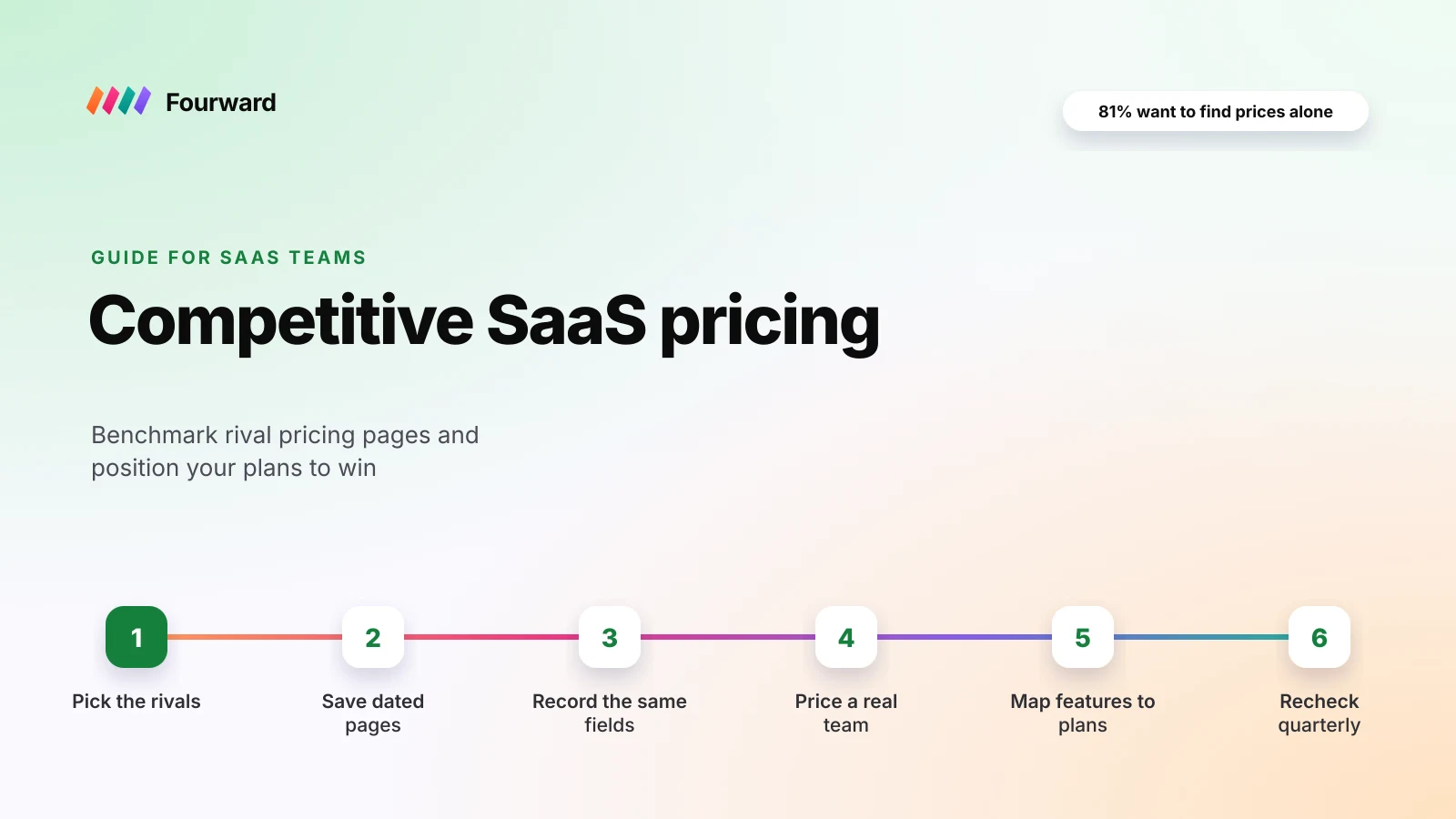
Benchmarking competitor pricing means recording the same facts from each rival's pricing page in one sheet, so every rival is measured the same way. The six steps below include a worked example from three project management tools.
1. Pick the three to five rivals buyers actually compare you with
Start with the names buyers bring up, not the companies your team watches most. These three sources show which rivals buyers mention:
- Sales calls and lost deals. Ask which other tools the buyer looked at, and record the answer in your CRM (customer relationship management) system.
- Review sites and directories. The products listed next to yours on comparison pages are the ones buyers see together.
- AI answers. Ask AI assistants for the best tools in your category, and note which names appear next to yours.
Three to five rivals are enough for one sheet. A longer list is hard to keep up to date.
2. Save a dated copy of each pricing page
Pricing pages change without notice, so the date you read a price matters as much as the price. Take a full-page screenshot of each page and write the date on it.
The Wayback Machine from the Internet Archive helps with both past and present prices. The Internet Archive's help page says to "enter a domain or URL" and press the "Browse History" button to see earlier captures of a page. The "Save Page Now" feature lets you "save a specific page one time", which gives you a public, dated record.
Past captures also show whether a competitor's prices have gone up, gone down or been split into new plans.
3. Record the same fields for every competitor
A benchmark only works if every column answers the same questions. These are the fields I would put in the sheet:
- Value metric. The unit the price is charged for, such as a seat (one named user), a contact or a count of usage.
- Entry paid plan. The cheapest plan a buyer pays for, with its price for annual and for monthly billing.
- Seat rules. The fewest seats a buyer can buy, and any cap on users, contacts or usage.
- Free plan or trial. What a buyer can use before paying, and for how long.
- Offers shown. Crossed-out prices, "save" labels and discounts for new customers.
- Highlighted plan. The plan the page recommends, usually with a badge.
- Top plan. Whether the highest plan has a public price or asks the buyer to contact sales.
Here is part of that sheet filled in for Asana, monday.com and ClickUp, from their own pricing pages on 18 November 2026.
| Field | Asana | monday.com | ClickUp |
|---|---|---|---|
| Value metric | Per user | Per seat | Per user |
| Entry paid plan | Starter | Basic | Core |
| Entry price, billed annually | $10.99 a user a month | $9 a seat a month | $9 a user a month |
| Seat rules | "No user seat limits" on Starter | "Plans start from 3 users" | No minimum stated for Core |
| Free plan | Personal, free for up to 2 users | Free, for up to 2 seats | Free Forever, no credit card required |
| Offer shown | Lower price for annual billing | Yearly plan discounted, monthly plan not discounted | $9 shown next to "Regular price $12" |
4. Work out what a typical customer would pay
Headline prices can mislead, because the real bill depends on team size and billing terms. Pick two or three customer profiles that match your buyers, then price each profile on every competitor's page.
| Team size, billed annually | Asana Starter | monday.com Basic | ClickUp Core |
|---|---|---|---|
| 2 users | $21.98 a month | $27 a month, because plans start from 3 users | $18 a month |
| 10 users | $109.90 a month | $90 a month | $90 a month |
The cheapest-looking plan is not the cheapest for every team. A 2-person team pays more on monday.com Basic than on Asana Starter, because monday.com's plans start from 3 users. At 10 users, monday.com Basic costs less than Asana Starter, and monday.com's own calculator shows a "Total of $90" for 10 seats.
Billing terms change the bill too. Asana Starter costs $13.49 a user a month when billed monthly, which is $2.50 more than the annual price. monday.com's FAQ says its monthly plan "is not discounted" and recommends the yearly plan to save. Record both prices, because a buyer who wants to start small may compare monthly prices.
5. Map which features sit in which plan
Two plans with the same price can include very different things. For each competitor, list what a buyer gets on each plan and what pushes them to upgrade.
- Upgrade triggers. The limit or feature that moves a buyer to the next plan, such as a user cap, a storage cap or single sign-on (one company login for every tool).
- Features a rival keeps for higher plans. If you include one of them in a lower plan, you have a comparison point you can name on your page.
- Features a rival includes that you charge extra for. These are the places where buyers will feel your price is higher.
The free plans in the example show why this step matters. Asana, monday.com and ClickUp each offer a free plan, so in project management a free plan alone does not set a product apart.
6. Recheck the sheet on a schedule
Repeat steps 2 to 5 every quarter, and whenever a competitor announces a new plan. Promotions make this step urgent. ClickUp shows its $9 Core price next to the words "Regular price $12". Intercom, a customer service platform, shows its Essential plan at $19 a seat a month, next to a crossed-out $29 and the line "New customers save 35%". Offers like these can end or change at any time, so record them separately from regular prices.
Free check. 75 checks, one score out of 100, under a minute.
How to position your plans to win comparisons
Once the sheet is full, you can decide where to sit and how to make your page win the side-by-side view. The five moves below cover the main choices.
Choose a position for each buyer group
Use the three positions from the first table: below, level or above. Decide them for each customer profile from step 4, not once for the whole company.
Pick a value metric buyers can predict
The value metric is the unit you charge for. Charging per seat is easy to compare, because all three tools in the example do it. A different unit can set you apart, but only if buyers can still estimate their bill.
Intercom uses two units: its plans are priced per seat, and its Fin AI agent is priced "per Fin outcome", from $0.99. If you charge by usage, add a worked example to your pricing page so buyers can estimate their monthly bill.
Win the bill for your target customer
Work out the monthly bill for your ideal customer's team size, and make sure it sits where you chose to be against the rivals in your sheet. Then show that total on your page, the way monday.com's calculator shows a "Total of $90" for 10 seats. A total for a real team is easier to compare than a price per seat.
Make one plan the obvious choice
A buyer comparing three vendors with four plans each is reading twelve plans at once. Highlight the plan that fits your target customer, so the buyer knows where to start. monday.com labels its Pro plan "Most Popular", which points buyers to one plan straight away.
Publish prices in plain text, and answer the comparison yourself
Hidden prices work against the 81% of buyers in the TrustRadius survey who wanted to find pricing on their own. Write your prices as text on the page, not only inside an image or behind a click. A sentence such as "Plans start at [price] per seat a month, billed annually" is easy for an AI answer to quote. Our guide on how to get cited by ChatGPT explains why.
Our free AI visibility check runs 75 checks on what AI engines can read about a site, so you can see whether they can read yours.
Then answer the comparison on your own site. A comparison page for each main rival lets you show the bill for a real team, with the date you checked the rival's price. Keep the same prices on your directory and review site listings, so buyers and AI answers see one set of numbers.
Common competitive pricing mistakes
These mistakes make a pricing benchmark misleading, or make your page lose a comparison it could win.
- Copying a rival's price without its value metric. The same price per seat and per contact can lead to very different bills.
- Comparing headline prices only. Seat minimums and billing terms change the real bill, as the 2-user example shows.
- Cutting price as the only move. A rival can cut its price too. Our SaaS churn benchmarks also show that cheaper products tend to lose customers faster.
- Treating a promotion as the regular price. Record crossed-out prices and new-customer offers in their own column.
- Leaving old competitor prices on your site. An out-of-date rival price on your comparison page makes the whole page look unreliable.
- Benchmarking once. A pricing sheet from last year describes a market that has since changed.
A full SEO, AEO and GEO audit, plus 30 minutes with our team to walk you through it.
FAQs
What is competitive pricing in SaaS?
Competitive pricing in SaaS means setting your subscription prices and plans with rival products' prices in view. You choose to sit below, level with or above rivals for each customer group. You then shape your plans so the side-by-side comparison favours you.
How do I benchmark competitor pricing pages?
Pick the three to five rivals buyers compare you with, save a dated copy of each pricing page, and record the same fields for each. Then work out what a typical customer would pay, map features to plans, and recheck every quarter.
How do I find a competitor's price if it is not public?
Check past captures of the pricing page in the Wayback Machine, since an older version may have listed prices. Ask buyers in lost-deal calls what they were quoted, and record the answers. Leave out any price you cannot confirm.
Should a SaaS company price lower than its competitors?
A lower price only helps if you can hold it and still keep customers. A rival can match a price cut, and cheaper products tend to lose customers faster. Packaging, such as the unit you charge for and what each plan includes, is often harder for a rival to copy.
How often should I check competitor pricing?
Check competitor pricing every quarter, and whenever a competitor announces a new plan or a promotion. Save a dated copy each time, so you can see how prices move.
Should I show competitor prices on my own site?
You can show competitor prices on a comparison page if you date them and keep them current. An out-of-date rival price makes your page look unreliable and can be repeated in AI answers.
Sources
- Asana Pricing | Personal, Starter, Advanced, & Enterprise plans, Asana, checked 18 November 2026.
- monday.com pricing and plans, monday.com, checked 18 November 2026.
- ClickUp Pricing and Plans, ClickUp, checked 18 November 2026.
- Intercom Pricing | Plans for every team size, Intercom, checked 18 November 2026.
- TrustRadius' New B2B Report: The Age of the Self-Serve Buyer is Here, TrustRadius via PR Newswire, 14 June 2022, checked 18 November 2026.
- Using the Wayback Machine, Internet Archive Help Center, checked 18 November 2026.