
On this page
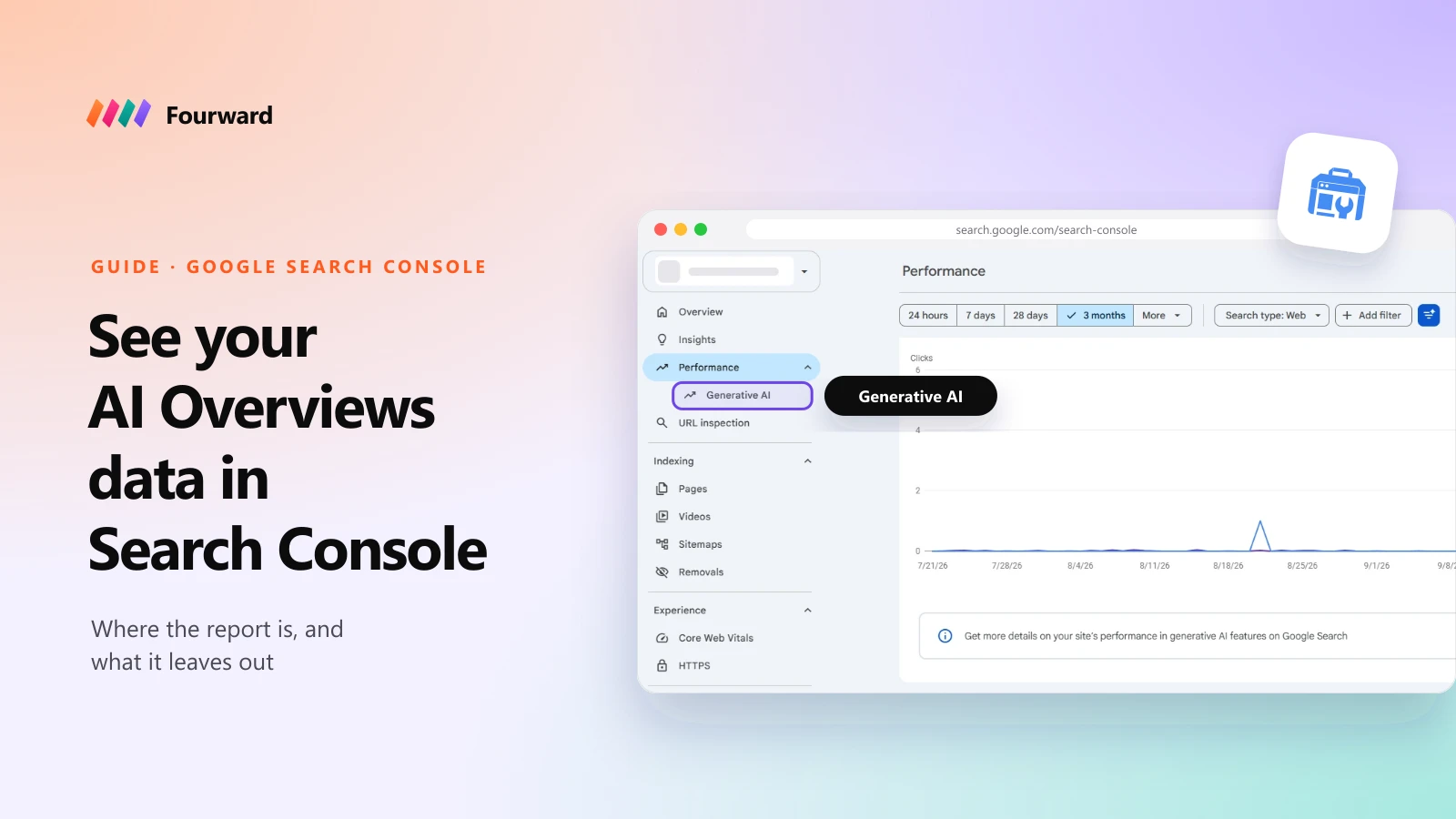
You can see your AI Overviews and AI Mode numbers in Google Search Console. Click Performance in the left menu, then Generative AI underneath it. The Performance report also has an Open report link to it. If neither shows yet, open it directly at search.google.com/search-console/performance/search-analytics/ai. It shows how often links to your site appeared in Google's AI answers, broken down by page, country, device and date.
It only shows impressions. There are no clicks, no click-through rate, no position and no search queries. Clicks from AI answers do exist, but Search Console counts them in the normal Performance report, mixed in with every other web result.
The report at a glance
| Question | Answer |
|---|---|
| Where is it? | Performance > Generative AI |
| What does it count? | Impressions in AI Overviews and AI Mode |
| Can I filter it? | By page, country, device, date and search type |
| Clicks, CTR or position? | No |
| Search queries? | No |
| In the API or Looker Studio? | No, only export from the report |
| Who has it? | All websites since 31 August 2026, if they have enough AI impressions |
I lead search and AI visibility at Fourward. Every fact below links to Google's own documentation, checked on 22 October 2026.
What the generative AI report is
Google announced the reports on 3 June 2026. There are two: one for Search, covering AI Overviews and AI Mode, and one for Discover, covering its AI features. Google first gave them to a small group of sites, and its help page says they reached all websites worldwide on 31 August 2026.
The numbers aren't new data. Google says AI impressions were already part of the overall Performance report. The new report simply pulls them out so you can see them on their own.
The report tells you how often Google's AI answers showed a link to your site. It doesn't tell you who clicked, what they searched or where you appeared in the answer.
How to find it in Search Console
- Open your property. Sign in to Search Console and pick your website.
- Click Performance. It expands in the left menu.
- Click Generative AI. It sits just under Performance and opens the Generative AI features report. You can also use the Open report link in the banner on the Performance report. If neither shows, your site may not have enough AI impressions yet, but the direct link still opens the report.
- Pick a date range. Look at the last three months to start, and compare it with the period before.
- Switch the table to Pages. This shows which of your pages Google's AI answers link to most.
- Export it. Use the export button to save the chart and table. Values shown as "~" or "-" export as zeros.
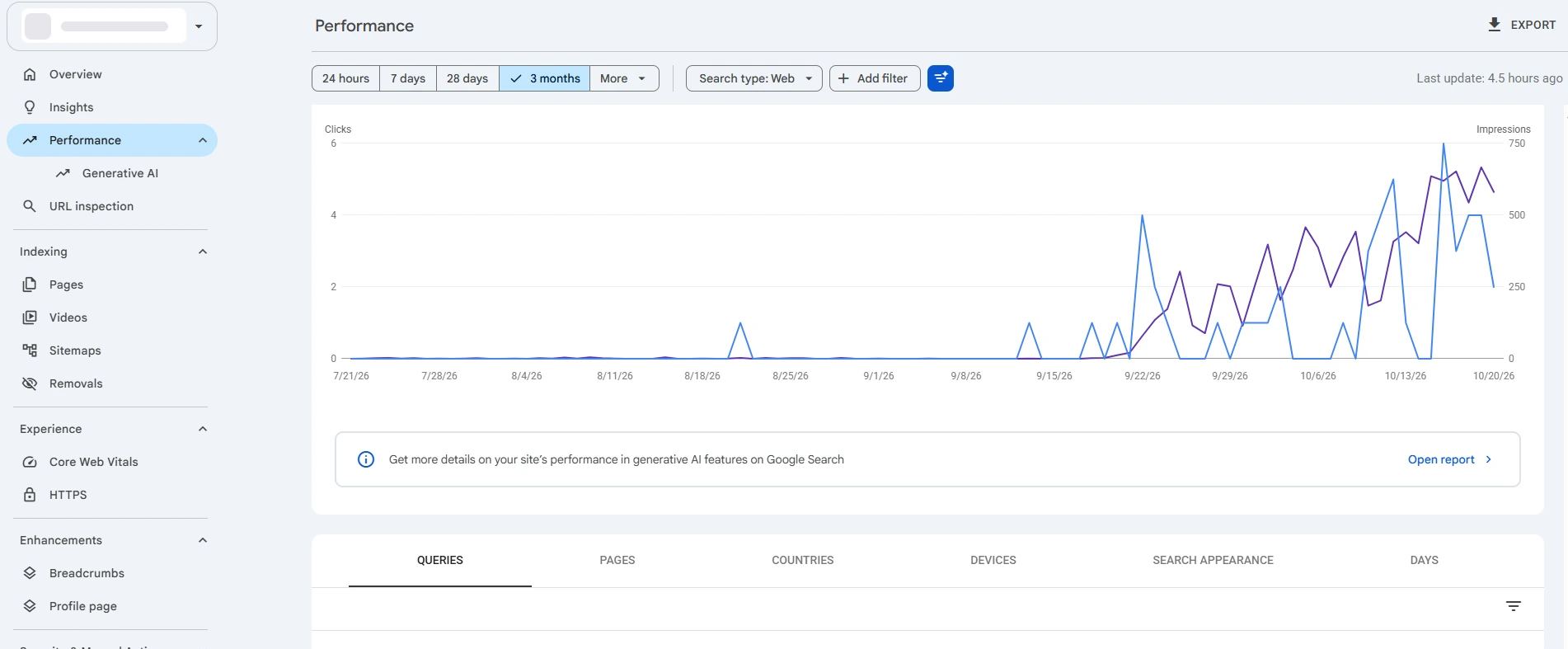
If Generative AI isn't under Performance for you, your site may not have enough AI impressions yet. See why you might not see the report.
How Google counts AI impressions
An impression means a link to your site was shown in an AI answer. Google's help page for the report and its rules for counting impressions and clicks add a few details that change how you read the numbers:
- One answer, one impression, in the chart. If one AI Overview links to your site twice, the chart counts one impression for your site.
- Per page in the table. Grouped by page, each linked page gets its own impression, so the table total can be higher than the chart.
- An AI Overview is one position. Every link inside it shares the same position on the results page.
- AI Mode follow-ups are new searches. Each follow-up question counts as its own query.
- Clicks go to the main report. A click on your link in an AI Overview or AI Mode counts as a normal web click in the Performance report.
What the report doesn't show
- No clicks or click-through rate. You can't see how many AI impressions turned into visits. Google says it may add more metrics over time.
- No search queries. You can see which pages appeared, but not which searches triggered them.
- No position. You can't tell whether your link was the first source or the last.
- No API. The Search Analytics API has no separate type for AI features, so dashboards that pull from the API, including Looker Studio, can't split AI impressions out.
- Google only. ChatGPT, Perplexity, Claude and Gemini the app don't report to Search Console at all.
One data note: Google logged too few AI impressions from 13 to 17 August 2026, then restored the data on 21 August. You no longer need to leave those dates out.
How to use it anyway
Impressions alone still tell you a lot. This is how I'd use the report for a B2B SaaS site:
- Save a monthly export. With no API, an export each month is the only way to keep a clean history.
- Track your AI share. Divide AI impressions by total web impressions for the same dates. A rising share means Google is using your pages in more answers.
- Check which pages get used. If AI answers link to your blog but never to pricing, comparison or product pages, those pages need clearer answers.
- Compare countries. AI Overviews and AI Mode aren't the same in every market. Check the countries you sell in, not the global total.
- Add the other AI engines from analytics. In Google Analytics, filter referrals from chatgpt.com, perplexity.ai, claude.ai and gemini.google.com. Google's AI features guide also suggests Analytics for conversions from these visits.
- Check what AI says, not just how often. Search Console can't show whether an answer named you or a competitor. An AI visibility tool tracks that across engines.
Why you might not see the report
Google's help page gives two reasons. Your site may not have enough AI impressions yet, which is common for new or small sites. Or the site has been excluded from AI features using the setting below.
Google's John Mueller also said in August that the report only shows when there's enough data, so a missing report on a small site isn't an error.
Free check. 30 checks, one score out of 100, under a minute.
The setting that removes you from AI answers
Search Console also has a Search generative AI setting, under Settings, in a section called AI controls. It has three options: Include, which is the default, Exclude, or Inherit from a parent property. Exclude removes your content from AI Overviews, AI Mode and Discover's AI features, usually within one to two days.
Google says the setting isn't used as a ranking signal anywhere else in Search, and it doesn't control AI training, which is handled by Google-Extended in robots.txt.
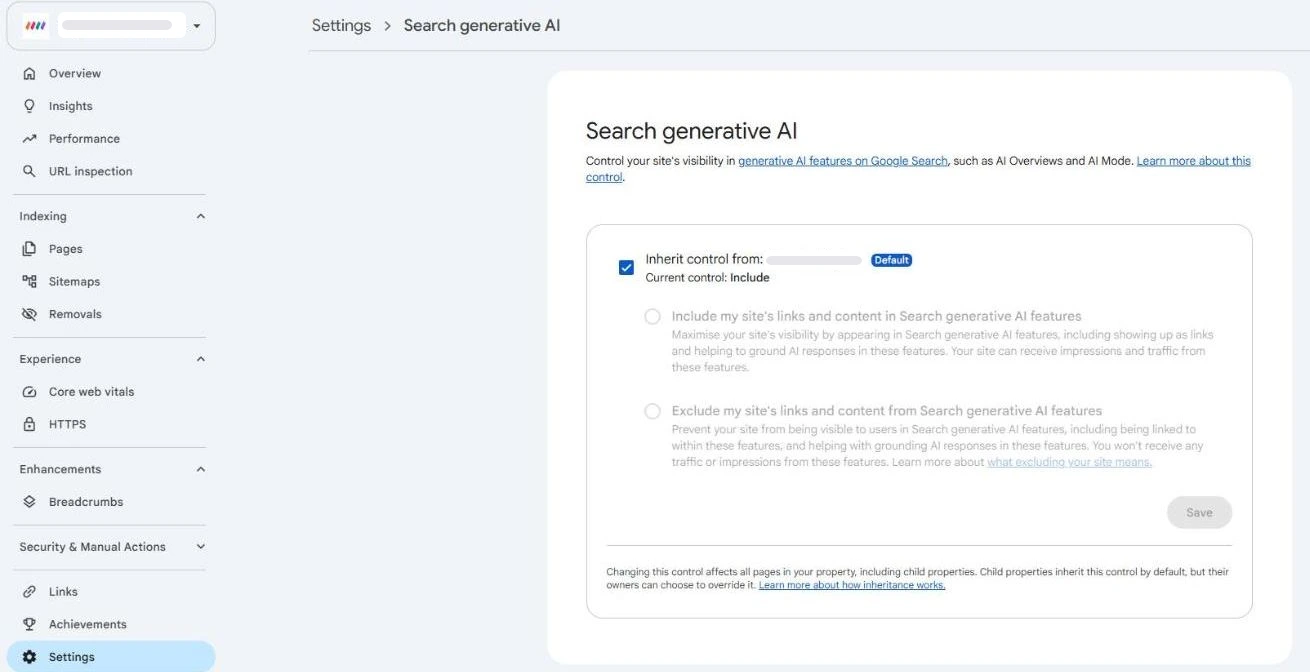
For a B2B SaaS company, leave it on Include. Your buyers ask Google's AI for shortlists, and Exclude takes you out of those answers.
How to show up in more AI answers
Google's guide to AI features says there are "no additional requirements to appear in AI Overviews or AI Mode". A page needs to be indexed and eligible to show with a snippet, and normal SEO best practice applies. You don't need special files or schema.
In practice, the pages that get linked answer a question clearly: what a product does, who it's for, what it costs and how it compares. Google is also making those links more visible. I covered the latest changes in Google's new links in AI Mode and AI Overviews, and the full process in our GEO guide for B2B SaaS.
A full SEO, AEO and GEO audit, plus 30 minutes with our team to walk you through it.
FAQs
Can I see AI Overviews traffic in Search Console?
You can see impressions, not traffic. The Generative AI features report under Performance shows how often links to your site appeared in AI Overviews and AI Mode. Clicks from those answers are counted in the normal Performance report and can't be separated out.
Where is the generative AI report in Search Console?
Click Performance in the left menu, then Generative AI underneath it, or use the Open report link on the Performance report. The page itself is titled Generative AI features. If it's missing, open search.google.com/search-console/performance/search-analytics/ai directly.
Does the report show which queries trigger AI Overviews?
No. It has no query data. You can filter by page, country, device, date and search type only.
Why don't I have the generative AI report?
Google says the report needs enough AI impressions to show, so new and small sites often don't see it. It also won't show if the site is excluded from AI features in Settings.
Does opting out of AI Overviews hurt my rankings?
Google says the Search generative AI setting isn't used as a ranking signal elsewhere in Search. It does take your content out of AI Overviews, AI Mode and Discover's AI features.
Can I track ChatGPT and Perplexity in Search Console?
No. Search Console only covers Google. Use referral reports in Google Analytics for chatgpt.com, perplexity.ai and other AI engines, or an AI visibility tool to see what they say about you.
Sources
- Introducing Search Generative AI performance reports in Search Console, Google Search Central blog, 3 June 2026.
- Generative AI performance report (Search), Search Console Help.
- Generative AI performance report (Discover), Search Console Help.
- What are impressions, position and clicks?, Search Console Help.
- Data anomalies in Search Console, Search Console Help.
- Search generative AI control, Search Console Help.
- AI features and your website, Google Search Central.
- Search Analytics: query, Search Console API reference.
- Search Console AI report coverage, Search Engine Roundtable.