
On this page
An llms.txt file is a plain text file at yoursite.com/llms.txt that gives AI tools a short, curated list of your most important pages. To create one, pick your key pages, write them in the spec's format, upload the file to your domain's root, and test that it loads. On most platforms it needs no code, and the file itself costs nothing.
This guide covers the six steps for a B2B SaaS site: what to list, the exact format, where to upload it on common platforms, and how to check it works.
I lead search, content and AI visibility at Fourward, which sells this kind of work, so I have a stake in the topic. Every format rule below links to the llms.txt spec, and every platform step links to that platform's own docs, checked on 14 November 2026.
- An llms.txt file is a Markdown file at the root of your site that lists your most important pages for AI tools to read.
- The only part the spec requires is an H1 title, the file's main heading. A useful file adds a short summary and a few sections of links with notes.
- Host it at yoursite.com/llms.txt on your main domain, and serve it as plain text, not as a web page.
- Google says Google Search doesn't use llms.txt. It is for other AI tools and agents, and it doesn't replace robots.txt or your sitemap.
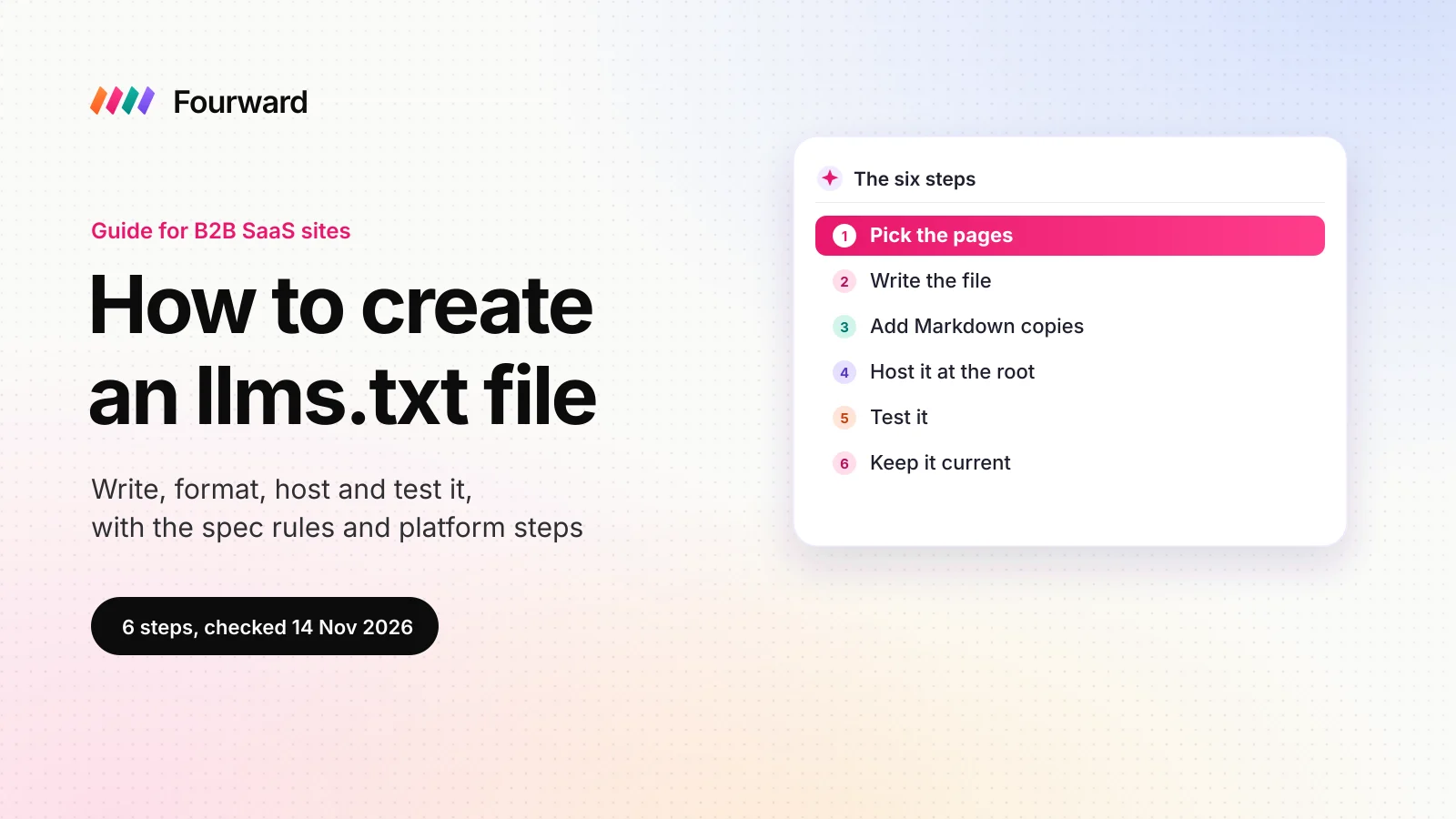
The six steps at a glance
| Step | What you do | How you know it's done |
|---|---|---|
| 1. Pick the pages | Choose the pages buyers and AI tools need most | A short list of canonical URLs |
| 2. Write the file | Title, summary and sections of links with notes | It reads cleanly in a text editor |
| 3. Add Markdown copies | Optional clean versions of key pages | Each page also loads with .md on the end |
| 4. Host it at the root | Upload through your CMS (content management system), a plugin or your code | yoursite.com/llms.txt loads on the live site |
| 5. Test it | Check status, file type, links and crawler access | Plain text, no broken links, crawlers allowed |
| 6. Keep it current | Update it with pricing and product changes | It's on your release checklist |
What an llms.txt file is, and what it isn't
llms.txt is a proposed standard written by Jeremy Howard and published at llmstxt.org. An LLM (large language model) is the AI system behind tools like ChatGPT and Claude. The spec says the file sits "at the root path /llms.txt of a website".
The file is written in Markdown, a simple text format where # marks a heading and - marks a list item. The idea is that an AI tool reads one clean file instead of guessing which of your many pages matter.
What it doesn't do
It doesn't help you rank in Google. Google's guide to its AI features says "Google Search itself doesn't use them", and that keeping one "will neither harm nor help" your visibility there. It also doesn't control access. That job belongs to robots.txt and your firewall.
| File | What it does | Who reads it | Format |
|---|---|---|---|
| robots.txt | Says which crawlers may fetch which paths | Search and AI crawlers | Plain text rules |
| sitemap.xml | Lists the URLs you want search engines to index | Search engines | XML (Extensible Markup Language) |
| llms.txt | Points AI tools to your best pages, with notes | AI tools and agents that choose to read it | Markdown |
If robots.txt blocks an AI crawler, a perfect llms.txt can't help. I explain which bots to allow in what an AI crawler is and which ones to let in.
1. Pick the pages an AI tool should read first
The file is a reading list, not a sitemap. List the pages that answer what buyers ask an AI assistant about your product.
- Product overview. What the product does and who it's for, in plain words.
- Pricing. Plans, limits and what each plan includes.
- Comparison and alternatives pages. Buyers often ask AI tools how products differ.
- Integrations. One link per major integration, or one page that lists them all.
- Security and compliance. The page procurement teams look for before they sign.
- Docs and API reference. Include these if developers use your product.
- About and customers. Who you are and who uses you.
Leave out login pages, thank-you pages, tag archives and anything blocked in robots.txt. Use the canonical URL for each page, which is the main version you want indexed, with no tracking codes or redirects.
2. Write the file in the llms.txt format
The spec says the file contains Markdown sections "in the specific order" below. The H1 title is the only one it requires.
- An H1 title. One line starting with
#, followed by your company or product name. - A summary in a blockquote. One short paragraph starting with
>. The spec says it should hold the "key information necessary for understanding the rest of the file". Say what you sell, to whom, and what it does. - Details, if needed. A short paragraph with context, such as who your customers are or how you sell. Keep headings out of this part.
- Sections of links. Each section starts with an H2 (a second-level heading), such as
## Pricing. Each line is "a required markdown hyperlink [name](url), then optionally a : and notes about the file". - An Optional section last. The spec says the "Optional" section is used "by convention, for secondary information". AI tools can skip it when they need a shorter read.
An example for a SaaS site
This example is for a made-up accounts payable product. Swap in your own names, pages and notes.
# Ledgerly

> Ledgerly is accounts payable software for finance teams at mid-sized
> B2B companies. It captures invoices, routes approvals and syncs
> payments to the accounting system the team already uses.

Ledgerly is sold on annual plans to finance and operations teams.

## Product
- [Product overview](https://www.ledgerly.example/product): What Ledgerly does and who it is for
- [Invoice capture](https://www.ledgerly.example/product/invoice-capture): How invoices are read and coded
- [Approvals](https://www.ledgerly.example/product/approvals): Approval rules and the audit trail

## Pricing
- [Pricing](https://www.ledgerly.example/pricing): Plans, limits and what each plan includes

## Compare
- [Ledgerly vs spreadsheets](https://www.ledgerly.example/compare/spreadsheets): When teams move off spreadsheets

## Integrations
- [Integrations](https://www.ledgerly.example/integrations): Accounting, finance and banking connections

## Security
- [Security](https://www.ledgerly.example/security): Compliance reports, data handling and access controls

## Docs
- [API reference](https://docs.ledgerly.example/api): Endpoints, authentication and limits

## Optional
- [Blog](https://www.ledgerly.example/blog): Guides for finance teams
- [Changelog](https://www.ledgerly.example/changelog): Product updates
Formatting rules that trip people up
- Use full URLs. Write
https://www.yoursite.com/pricing, not/pricing, so each link works wherever the file is read. - One link per line. Start each line with
-and keep the note after the colon to one line. - Write notes as facts. "Plans, limits and what each plan includes" helps an AI tool. "Our award-winning platform" does not.
- Name it exactly llms.txt. Use lower case, and save it from a plain text editor, not a word processor.
For real files from other SaaS companies, from short indexes to full docs maps, see my llms.txt examples from B2B SaaS companies.
3. Add Markdown copies of key pages (optional)
The spec also proposes a "clean markdown version of those pages at the same URL as the original page", with .md added to the end. A Markdown copy has no menus, cookie banners or scripts, so an AI tool reads only the content.
Some docs sites also publish llms-full.txt, one file with the full text of their docs. For a marketing site, skip both until the main llms.txt is live. For a docs site, your docs platform may create them for you, as the next step shows.
Free check. 75 checks, one score out of 100, under a minute.
4. Host the file at the root of your domain
The file must load at yoursite.com/llms.txt, on the domain your buyers visit. A copy in a file manager folder or on a CDN (content delivery network) address won't be found by tools that look in the standard place. Here is how it works on Webflow, WordPress with Yoast SEO, Next.js and Mintlify.
| Platform | How to add llms.txt | Watch out for |
|---|---|---|
| Webflow | Upload the file in your site settings. Webflow stores llms.txt as a setting for each site, and its help centre has the steps. | Publish the site, then check the file on your live custom domain. |
| WordPress with Yoast SEO | Go to Yoast SEO, Settings, Site features. Yoast's help puts the llms.txt switch under AI tools. | Yoast updates the file weekly. It won't generate one while another llms.txt is already on the server. |
| Next.js | Save llms.txt in the public folder. Next.js serves those files "starting from the base URL (/)". | Deploy, then check the live URL, not your local copy. |
| Mintlify docs | Nothing to do. Mintlify "automatically hosts an llms.txt file at the root of your project". | Generated index files are capped at 100,000 characters. A custom file you add replaces the generated one. |
| Any other CMS | If there's no llms.txt setting, ask your developer to serve the file at the root, or add a rewrite rule at your CDN. | A file manager upload usually gives you a long file URL, not /llms.txt. |
If your docs live on a subdomain such as docs.yoursite.com, they can have their own llms.txt. Link to it from the file on your main domain, so an AI tool can find both.
5. Test that the file loads and reads correctly
Six checks catch most problems. Run them on the live domain, not a staging copy.
- Open it in a browser. Go to yoursite.com/llms.txt. You should see plain text, not your styled 404 page or a normal web page.
- Check the status and file type. curl is a free command-line tool that fetches a web address. Run
curl -I https://www.yoursite.com/llms.txtand look for a 200 status andtext/plainortext/markdown, nottext/html. - Run Lighthouse. Lighthouse is Google's free page audit, built into Chrome's developer tools. Its llms.txt audit "flags the pages if a server error occurs" when it requests the file.
- Click every link. Each one should open the page itself, not a redirect, an error or a login screen. A link checker or a site crawl with your SEO tool does this quickly.
- Check that AI crawlers can get in. Robots.txt or a firewall rule can block AI bots before they reach any file. Our free AI crawler checker tests 20 AI crawlers against your robots.txt and firewall.
- Read it like an AI tool would. Paste the file's text into ChatGPT or Claude and ask what your company sells, to whom, and where the pricing is. A vague answer means a vague summary.
One catch with Lighthouse: if the file doesn't exist, the audit is marked "Not Applicable (N/A)", not failed. A clean Lighthouse report doesn't prove your file is live, so always do the browser check too.
After a few weeks, search your server or CDN logs for requests to /llms.txt. That shows you which tools actually fetch it.
6. Keep the file current
A file that lists an old price or a retired product gives every tool that reads it the wrong facts. Treat llms.txt like your pricing page: it changes when the business changes.
- Add it to your release checklist. Update it when you change pricing, launch a product, or rename or remove a page.
- Check what plugins pick. Yoast says its file "will be updated weekly by a scheduled action", so review it after big site changes.
- Set a review date. Once a quarter, open the file and click every link again.
Common llms.txt mistakes
Each of these mistakes stops the file from doing its job.
- Serving a web page. Some CMSs answer /llms.txt with a styled "page not found" page. To a tool, that looks like a file full of menu text.
- The wrong path. /llms, /LLMS.txt, a file manager URL or a staging domain won't be found.
- Pasting the sitemap. A list of every URL, with no notes, tells an AI tool nothing about which pages matter.
- Marketing copy in the notes. Slogans give a tool nothing to use. Facts about the page do.
- Two files competing. A plugin and a manual upload can clash. Yoast says "You need to remove the existing file from the server" before it can generate its own.
- Blocking the crawlers anyway. If robots.txt blocks an AI crawler, that crawler won't fetch your llms.txt or the pages it lists.
- Expecting Google rankings. Google says Google Search ignores these files, so judge the file by other AI tools, not by Google traffic.
llms.txt is one small part of GEO (generative engine optimization), the work of getting your brand named in AI answers. The bigger steps are in my GEO guide for B2B SaaS.
What an llms.txt file costs
The file itself costs nothing to publish. On Webflow or Next.js it's one file, and Yoast and Mintlify can generate it for you. The real cost is the time to choose pages, write clear notes and keep the file current.
Spend more care on it if developers use your API or docs, because a clear docs index helps any tool that reads it find the right page. For a marketing-only site, a short, accurate file is enough.
A full SEO, AEO and GEO audit, plus 30 minutes with our team to walk you through it.
FAQs
Where do I put an llms.txt file?
Put it at the root of your main domain, so it loads at yoursite.com/llms.txt. The llms.txt spec names that exact path. Docs on a subdomain can have their own file, linked from the main one.
What format does an llms.txt file use?
It uses Markdown. An H1 with your site's name is the only required part. Most files add a blockquote summary and H2 sections with lists of links and short notes.
Does Google use llms.txt?
No. Google says Google Search doesn't use these files, and that keeping one will neither harm nor help your visibility there. The file is for other AI tools and agents.
What is the difference between llms.txt and llms-full.txt?
llms.txt is a short index of links with notes. llms-full.txt, used mostly by docs sites, holds the full text of the docs in one file.
How do I test my llms.txt file?
Open it on your live domain, confirm it returns a 200 status as plain text, click every link, and run Lighthouse's llms.txt audit. Then check that robots.txt and your firewall let AI crawlers in.
Can a plugin create llms.txt for me?
Yes. Yoast SEO for WordPress can generate the file and update it weekly, and Mintlify generates one for docs sites. Check what they include before you rely on them.
Sources
- The /llms.txt file, v2, llmstxt.org (Jeremy Howard), checked 14 November 2026.
- Optimizing your website for generative AI features on Google Search, Google Search Central, checked 14 November 2026.
- llms.txt audit, Lighthouse agentic browsing, Chrome for Developers, checked 14 November 2026.
- Yoast SEO: llms.txt functional specification, Yoast, checked 14 November 2026.
- How to enable llms.txt with Yoast SEO, Yoast, checked 14 November 2026.
- llms.txt, Mintlify documentation, checked 14 November 2026.
- public Folder, Next.js documentation, last updated 16 June 2025, checked 14 November 2026.
- Get LLMS.txt, Webflow Developers, checked 14 November 2026.
- Upload an llms.txt file to your site, Webflow Help Center, found 14 November 2026.
- Fourward AI crawler checker, for the crawler access test.