
On this page
To use ChatGPT for SEO (search engine optimization), give it your own search data and ask it to sort, outline, review or write code. It is good at grouping keywords, drafting content briefs, finding patterns in audit exports and writing schema markup. It cannot see your rankings or keyword volumes unless you paste them in, so check every output against a real source.
Below are four step-by-step workflows, each with a prompt you can copy, followed by the limits and mistakes to watch for.
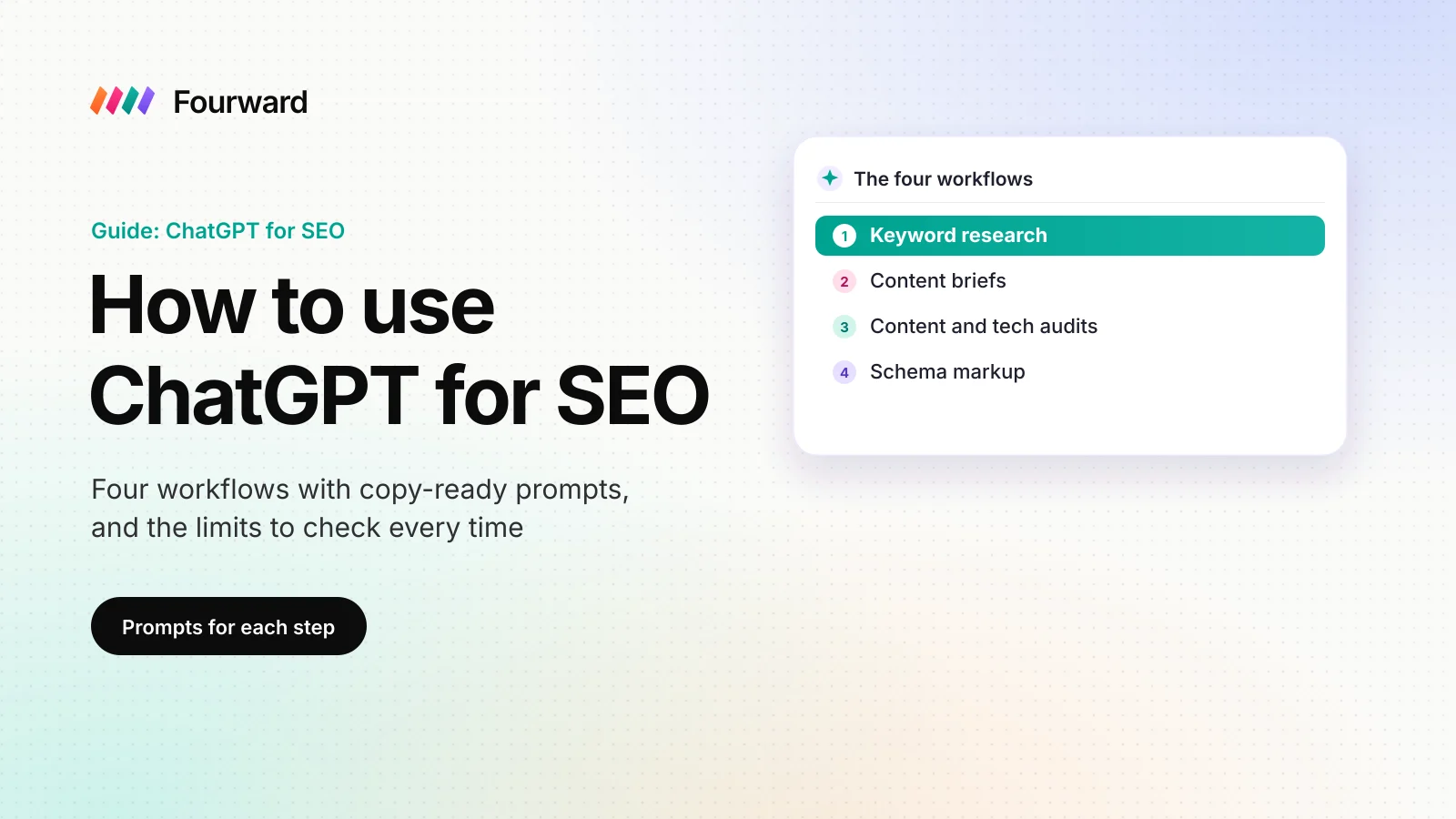
The four workflows at a glance
| Workflow | What you give ChatGPT | What ChatGPT does | What you check after |
|---|---|---|---|
| 1. Keyword research | A Search Console export and seed topics | Groups queries by topic and intent | Volumes in a keyword tool |
| 2. Content briefs | The query, notes on what ranks, your facts | Drafts an outline, FAQs and claims to source | The live results page |
| 3. Audits | A crawl or Search Console export | Ranks problems by how many pages they hit | Example pages on your live site |
| 4. Schema markup | The visible facts on one page | Writes the markup code | Google's Rich Results Test |
I lead search, content and AI visibility at Fourward, so I have a stake in this work. Facts about ChatGPT come from OpenAI's own pages, and facts about search come from Google's documentation, all read on 11 November 2026. The prompts are my suggested starting points, not tested benchmarks.
- Using ChatGPT for SEO means giving it your real search data and asking it to sort, outline, review or write code, then checking the result yourself.
- ChatGPT is strongest at grouping and drafting. Get search volumes and rankings from Google Search Console or a keyword tool, not from ChatGPT.
- Google says "Appropriate use of AI or automation is not against our guidelines." Mass-producing pages that add no value is still spam.
- Validate any schema markup ChatGPT writes in Google's Rich Results Test before you publish it.
What ChatGPT can and can't do for SEO
ChatGPT is a writing and reasoning tool, not a search data tool. ChatGPT works best on jobs where you supply the facts and it supplies the structure.
Good jobs for ChatGPT
- Sorting long lists. ChatGPT can group a long list of search queries into topics in one pass.
- First drafts. Outlines, page titles, meta descriptions (the short summary shown under a search result) and schema code.
- Reading exports. ChatGPT can summarise a spreadsheet you upload and point to patterns.
- Explaining terms. Ask what a canonical tag or a redirect chain is, and ChatGPT will explain it in plain words.
Jobs to keep away from ChatGPT
- Numbers. Search volume, keyword difficulty and backlink counts belong to keyword tools, not to a chat answer.
- Facts about your product. ChatGPT will fill gaps with a plausible guess unless you give it the facts.
- Final copy. A draft published without edits reads like every other draft on the same topic.
Which ChatGPT plan you need, and how to set it up
OpenAI's pricing page lists four plans: Free, Go, Plus and Pro. The page describes Plus as a way to "Do more with advanced intelligence". Check the current price there before you buy.
- Free. The Free plan lists "Limited messages with uploads". Uploads matter, because most SEO work in ChatGPT starts with a spreadsheet.
- Plus. The Plus plan lists "Expanded messages and uploads" and "Projects, scheduled tasks, and custom GPTs". For weekly SEO work with files, I'd treat Plus as the practical minimum.
Write a company brief once
ChatGPT gives generic answers when it knows nothing about you. Keep a short company brief in a document, and paste it at the top of each new SEO chat. Add it to a project instead if your plan has projects.
- What you sell, in one sentence, and who buys it.
- Your three closest competitors.
- Words your buyers use, and words you never use.
- The main pages you already have, with their URLs.
Workflow 1: keyword research with ChatGPT
ChatGPT cannot tell you how many people search a phrase. ChatGPT can turn a messy list of real queries into groups you can plan pages around. The work below starts with your own data, so the groups reflect what people actually type.
- Export your real queries. Google Search Console is Google's free tool that shows the searches your site appears for. Its queries view "groups your data by the search query users typed." Export it with clicks, impressions (times your site appeared in results) and position.
- Add seed topics from buyers. Sales calls, demo forms and support tickets show the words buyers use. Our SEO guide for B2B SaaS lists where else to find real searches.
- Ask ChatGPT to group the queries and label intent. Search intent means what the searcher wants to do: learn, compare or buy. Use the prompt below.
- Check the numbers in a keyword tool. Get monthly search volume and difficulty (how hard a query is to rank for) from Google Keyword Planner or Ahrefs. I use Ahrefs in my work.
- Give each group one page. Match each group to a page you have or a page you need. Two pages chasing the same query compete with each other.
You are helping with SEO for [company], which sells [product] to [buyer].
Attached is a CSV of Search Console queries with clicks, impressions and position.
1. Group the queries into topics. One topic is one page a buyer would want.
2. For each topic, label the intent: learn, compare or buy.
3. Name the best main query for each topic, using only queries in the file.
4. Flag topics with impressions but an average position worse than 10.
Return a table. Do not invent queries or numbers that are not in the file.
Search Console defines average position as "The average position of the topmost result from your site". A group with many impressions and a weak position is a good place to start, because Google already shows your site for those searches.
Workflow 2: content briefs with ChatGPT
A content brief is a one-page plan a writer follows: the target query, the reader, the outline, the facts to include and the sources. ChatGPT can draft the structure of a brief. You supply what ChatGPT cannot know.
- Search the query yourself. Note the format of the top results (guide, list or product page), the questions they answer and what they leave out.
- Collect your own material. Gather product facts, prices, a number from your own data or a view your team holds that competitors don't.
- Run the prompt below with your notes and facts pasted in.
- Edit the outline. Cut sections that repeat the ranking pages without adding anything. Add the expert angle only your team can write.
Write a content brief for the search query "[query]".
Reader: [role, company size, what they already know].
What the top results cover: [your notes].
Our facts: [pricing, features, data].
Include a working title under 60 characters and the reader's main question.
Add an outline with one line per section and 4 to 6 questions real buyers ask.
List every claim that needs a source. Mark anything you are unsure of.
The last line matters most. A list of claims that need a source tells the writer exactly what to check. If the page should also appear in AI answers, my guide on how to get cited by ChatGPT covers the writing side.
Free check. 30 checks, one score out of 100, under a minute.
Workflow 3: content and technical audits
ChatGPT is not a site crawler, so ChatGPT cannot walk through your site page by page. A crawler such as Ahrefs Site Audit, or a Search Console export, gives you the data. ChatGPT then sorts the problems by size.
Content audit
Export clicks and impressions per page for the last 3 months and the 3 months before. Ask ChatGPT which pages lost the most clicks, which pages target the same query, and which pages get impressions but almost no clicks.
Technical audit
Export a crawl with one row per URL. Ask ChatGPT to rank the problems by how many pages each one affects.
Attached is a crawl export of our site. Columns: URL, status code, title,
meta description, H1, word count, canonical, inlinks.
List problems by how many pages they affect, largest first.
Check for missing or duplicate titles and pages with no internal links to them.
Also check for redirect chains and pages whose canonical points to another URL.
For each problem, give 3 example URLs from the file.
Only report what the data shows. Write "not in the data" if a column is missing.
A canonical tag tells search engines which version of a page is the main one. A redirect chain is a link that bounces through two or more redirects before it lands. Open three example URLs yourself before you fix anything, because a column can be misread.
An audit today also needs an AI search check. The free AI visibility check I built runs 30 checks on what AI engines can read about a site.
Workflow 4: schema markup with ChatGPT
Schema markup is code that labels the facts on a page, such as a company name or a product price. Search engines use those labels to read the facts reliably. The usual format is JSON-LD, a block of code written in JSON (JavaScript Object Notation). Google says: "In general, Google recommends using JSON-LD for structured data if your site's setup allows it".
- Pick the type that fits the page. Use Organization for a homepage, Article for a blog post and Product for a product page.
- Paste only what readers can see. Google's guidelines say: "Don't mark up content that is not visible to readers of the page."
- Run the prompt below. Asking where each value came from makes invented properties easy to spot.
- Validate the code. Google calls its Rich Results Test "an easy and useful tool for validating your structured data".
Write JSON-LD schema markup for this page: [URL].
Page type: [homepage, blog post or product page].
Use only these facts, which are visible on the page: [paste].
Use schema.org types that fit. Do not add properties I have not given you.
Return one script block, then list every property you used and where its value came from.
Rich results are the extra details, such as ratings or FAQs, that Google sometimes shows under a search result. Google says it "does not guarantee that your structured data will show up in search results, even if your page is marked up correctly". FAQ markup is a common trap: since August 2023, Google says FAQ rich results "will only be shown for well-known, authoritative government and health websites".
Limits to watch when you use ChatGPT for SEO
Three limits matter more than the wording of any prompt.
ChatGPT can be wrong in a confident voice
ChatGPT writes fluent text whether or not the facts are right. Treat every number, quote and URL in its answer as unchecked until you open the source yourself.
Google judges the page, not the tool
Google's guidance on AI content says using automation "to generate content with the primary purpose of manipulating ranking in search results" breaks its spam policies. Its spam policies name scaled content abuse, with this example: "Using generative AI tools or other similar tools to generate many pages without adding value for users".
Your data leaves your company
ChatGPT's own homepage says: "Chats may be reviewed and used to improve our AI models." Remove customer names, emails and revenue figures from any file before you upload it.
Mistakes to avoid
- Trusting volumes from a chat. Ask ChatGPT to group queries, and get the numbers from a keyword tool.
- Asking for "SEO content" with no facts. ChatGPT returns text anyone could generate. Our guide to GEO for B2B SaaS explains why AI engines have no reason to cite those pages either. GEO (generative engine optimization) means getting named in AI answers.
- Publishing drafts in bulk. Many lightly edited pages on near-identical topics fit Google's description of scaled content abuse.
- Adding FAQ markup for rich results. Most business sites no longer get FAQ rich results from Google, so the markup won't change how the result looks.
- Running everything in one long chat. Start a new chat for each task and paste your company brief at the top.
A full SEO, AEO and GEO audit, plus 30 minutes with our team to walk you through it.
FAQs
Can ChatGPT do keyword research?
ChatGPT can group queries by topic and label search intent, but it has no search volumes of its own. Give it a Search Console export, then get volumes from Google Keyword Planner or a tool like Ahrefs.
Does Google penalise content written with ChatGPT?
Google says "Appropriate use of AI or automation is not against our guidelines". Google's spam policies do cover using generative AI to make many pages without adding value for users, which it calls scaled content abuse.
Can ChatGPT write schema markup?
ChatGPT can draft JSON-LD markup from the facts you give it. Validate the code in Google's Rich Results Test, and remember Google does not guarantee rich results even for correct markup.
Which ChatGPT plan is best for SEO?
OpenAI's pricing page shows the Free plan with limited messages with uploads, and Plus with expanded uploads plus projects. For regular work with spreadsheets, Plus is the practical minimum in my view.
Can ChatGPT replace SEO tools like Ahrefs?
No. ChatGPT has no access to a keyword tool's crawl, backlink or volume data unless you upload an export. Use the tool for data and ChatGPT to sort and draft.
Can ChatGPT audit my website?
ChatGPT can review an export from a site crawler or Search Console and list the patterns. It is not a crawler itself, so check example pages on your live site before you fix anything.
Sources
- Plans and Pricing | ChatGPT, OpenAI, checked 11 November 2026.
- ChatGPT homepage, OpenAI, checked 11 November 2026.
- Google Search's guidance about AI-generated content, Google Search Central, 8 February 2023, checked 11 November 2026.
- Spam policies for Google web search, Google Search Central, checked 11 November 2026.
- Intro to How Structured Data Markup Works, Google Search Central, checked 11 November 2026.
- General structured data guidelines, Google Search Central, checked 11 November 2026.
- Changes to HowTo and FAQ rich results, Google Search Central, 8 August 2023, checked 11 November 2026.
- Performance report (Search results): Overview and basic setup, Google Search Console Help, checked 11 November 2026.